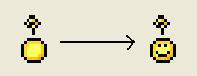
mIRC Easter Egg - About Icon (Smiley)
To access this egg is simple:
1) Start your copy of mIRC
2) Hold SHIFT & Click the about icon on the tool bar
3) Magic, the icon changes from like a yellow drop to a yellow classic smiley face.
| User Rating: |
6.7
6.7/10 with 76 votes
|
| Contributed By: |
Sorcerer9115 on 12-14-2001 |
| Reviewed By: |
Webmaster |
Special Requirements: mIRC 5.91 - May work on lower versions.
Pictures and Videos
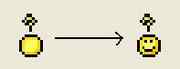 |
| mIRC About Button Smiley |
Do you have another one?
Send us a picture or video of this Egg!
Comments