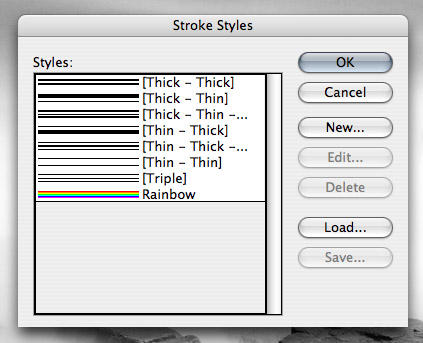
InDesign (Adobe) Easter Egg - Rainbow Stripe
1. Choose "Stroke Styles" from the Stroke palette
2. Select "New"
3. Select "Stripe" for line type
4. Name the stripe "Rainbow"
5. Choose OK and enjoy!
| User Rating: |
6.8
6.8/10 with 12 votes
|
| Contributed By: |
2+2=3 on 08-06-2004 |
| Reviewed By: |
MrHappyHamster, Boneho Chane |
Special Requirements: Adobe Indesign CS
Pictures and Videos
 |
| The rainbow stroke style |
Do you have another one?
Send us a picture or video of this Egg!
Comments