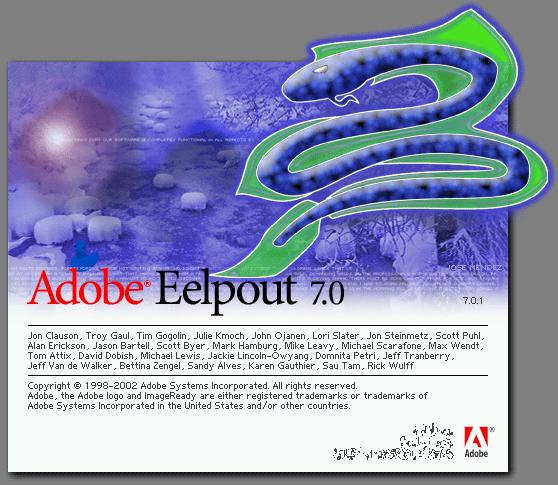
Adobe Image Ready 7.0 Easter Egg - Eelpout
Once ImageReady starts, hold the Ctrl key.
The screen behind should change to say 'Adobe Eelpout' over the picture of the creature.
| User Rating: |
7.6
7.6/10 with 39 votes
|
| Contributed By: |
Rachel A. on 06-08-2004 |
| Reviewed By: |
MrHappyHamster |
Special Requirements: Adobe ImageReady 7.0
Pictures and Videos
 |
 |
| Image Ready 7 easter egg |
тлрл |
Do you have another one?
Send us a picture or video of this Egg!
Comments